What is "vibe coding"?
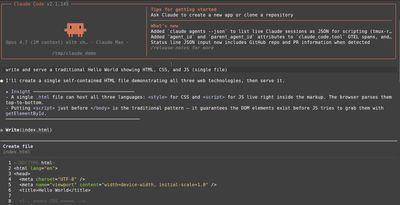
Vibe coding is directing an AI tool to build a website or application on your behalf:
- The human provides high-level direction and oversight.
- The AI writes and tests the code.
Many professional software developers are using this technique to create software much faster than they could on their own. But the cool thing is that it works for *non-*developers as well: people with no technical background can ask an AI to craft a small application for their personal needs. Suddenly, custom web and mobile applications are available to nearly everyone, not just programmers.
This is easiest to demonstrate with small apps, so let's start there. (For the record, I used claude.ai and/or Claude Code for all of these projects — it's regarded as the leader in the "vibe coding" world, at least for now. You can probably guess how fast things change in this world.)
Webinar countdown timer
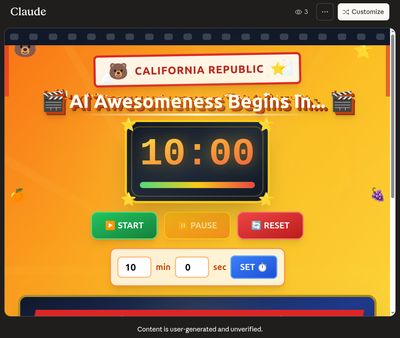
The problem: your colleague made a really cool countdown timer for his webinars — a sweet 10-minute countdown video that he streams 10 minutes before each webinar starts. And you want something similar, but even better.
The solution: ask Claude to make a customizable countdown timer you can use for any webinar, for any duration.
A disclaimer: because I was teaching a series of AI classes to a group of California librarians, I asked Claude to build my countdown timer around a California theme. Then I told it to bump the "California-ness" up to 11, just to max out the California Kitsch vibe. Obviously you can ask Claude to style your apps however you'd like.
Here's the prompt I gave Claude:
Build an artifact to serve as a countdown timer for my webinar. Unstated theme is
"California is AWESOME!" like a cheesy over-blown tourism campaign about how awesome
California is. Title is "AI Awesomeness Begins In..."
Countdown timer with standard controls
Make a movie-preview-style trivia slideshow built-in with 50 California historical
trivia questions.
Lots of greebles and texture and California relevant iconography
And here's the result!
Storytime suggestion spinner
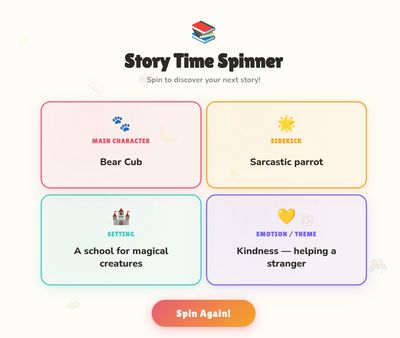
That first example was a super-simple "one-shot": we asked the AI to build something and it built it. Done. But the real "vibe" in vibe coding is working collaboratively with your AI partner — bouncing ideas back and forth and having the AI refine the tool, improving it on each iterative pass. Let's look at a more complex example.
The problem: you're in charge of improvising a new children's storytime, but you're in a creative drought and can't think of any engaging, kid-friendly characters and settings.
The solution: ask Claude to help you brainstorm creative lists of characters, themes, and settings. Then have Claude build a randomizer that generates the outline of a story from those lists. Test the app, look for problems or bugs, and ask Claude to fix them. The result is a polished, working creativity enhancer that took about 5 minutes to build.
Because this one was a back-and-forth conversation, I'm sharing the entire transcript of the app planning session rather than copying it here. And you can try the final result yourself!
In our next article, we'll use the same concept for non-coding activities such as policy analysis.